Base plan
Real estate investment management software, feature by feature
Everything below comes in the base plan: the investor portal, capital calls, waterfall distributions, the books, approvals, compliance and reporting, for every deal you run.
- 14-day free trial with every add-on
- Investors are always free
- Unlimited staff
- Cancel any time
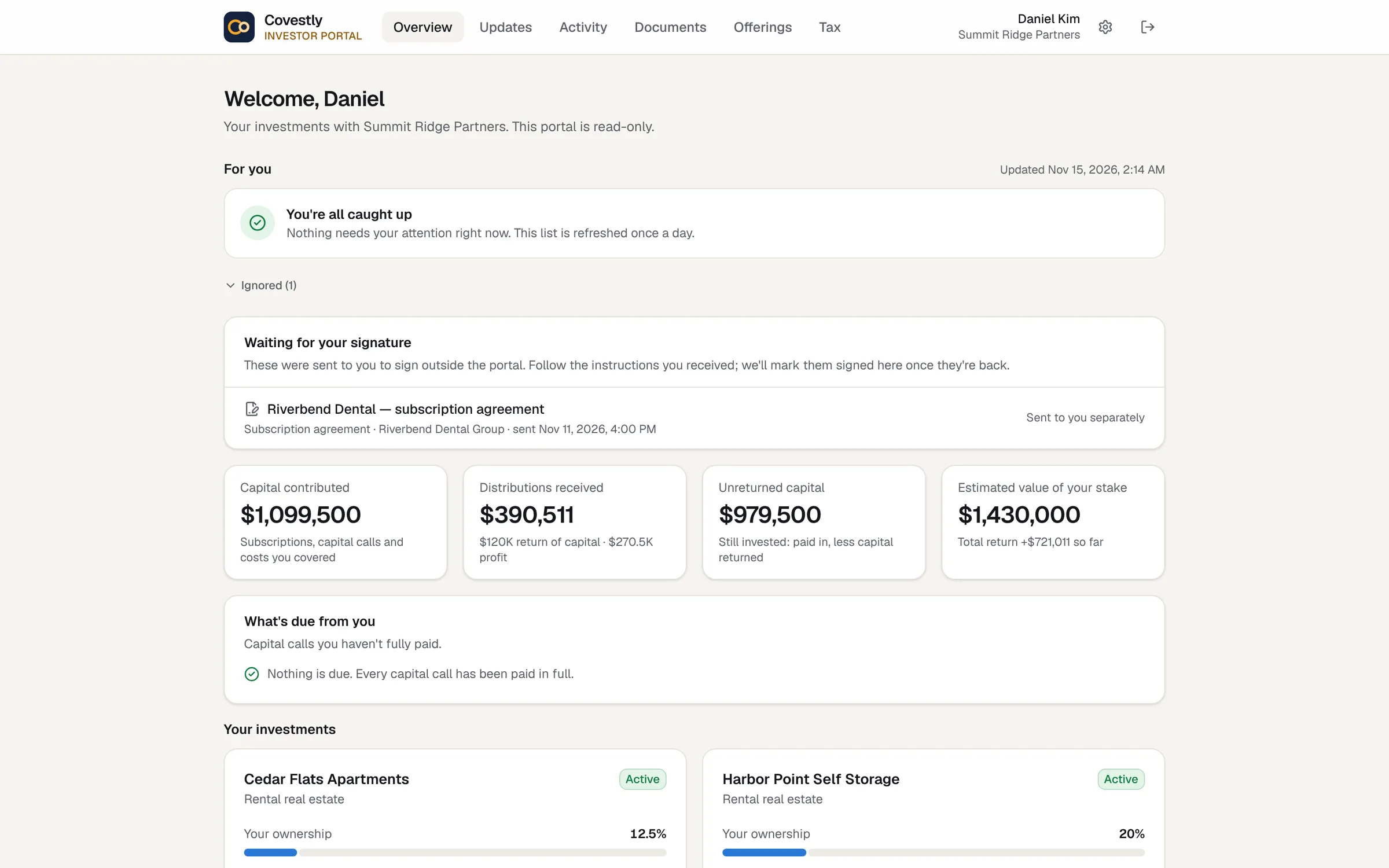
Investor portal
A portal your investors will actually use
Each investor signs in to see what they put in, what they've received, what their stake is worth and what's due, deal by deal. Documents, K-1s and updates are there too, so the questions stop coming by e-mail.
- Capital contributed, distributions received, unreturned capital and estimated value
- IRR and equity multiple for every investment
- Capital calls to pay, documents to sign, K-1s to download
- Works on any phone; investors never pay
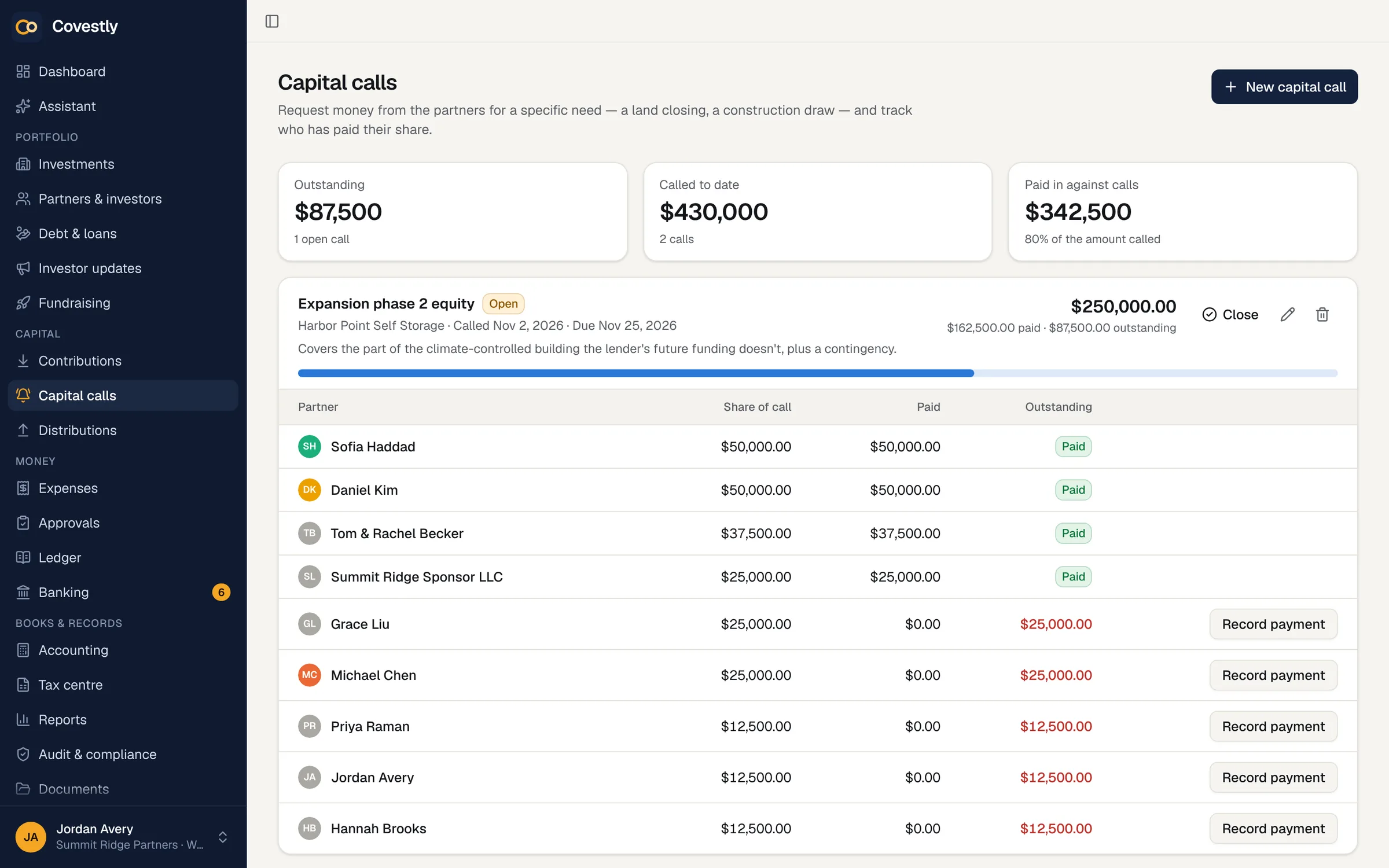
Capital calls
Capital calls that work out every share for you
Call capital for a deal and Covestly splits it by ownership, e-mails each investor their notice, and tracks who has paid. Contributions come in from the bank feed or by hand and land in each investor's capital account.
- Pro-rata amounts from the cap table on the call's date
- Notices by e-mail and in the portal
- Payment status per investor, with reminders
- Every contribution in the investor's capital account
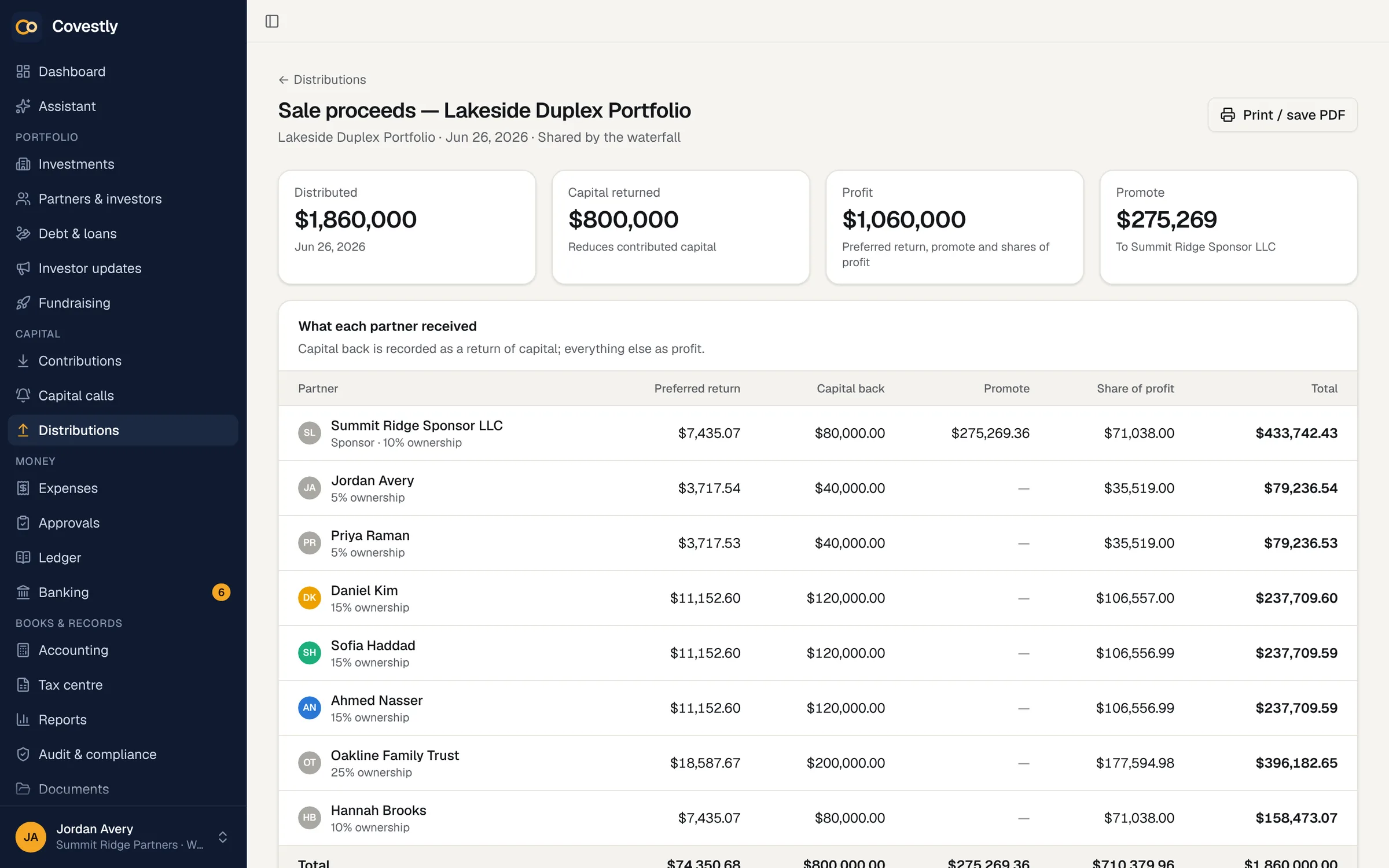
Distributions
Waterfall distributions without the spreadsheet
Set the deal's waterfall once (return of capital, preferred return, catch-up and promote tiers) and every distribution runs through it. Each investor sees exactly what they received and why.
- Preferred return, catch-up and any number of promote tiers
- Return of capital tracked per investor
- Distribution notices and statements
- The same waterfall drives sale and refinance what-ifs
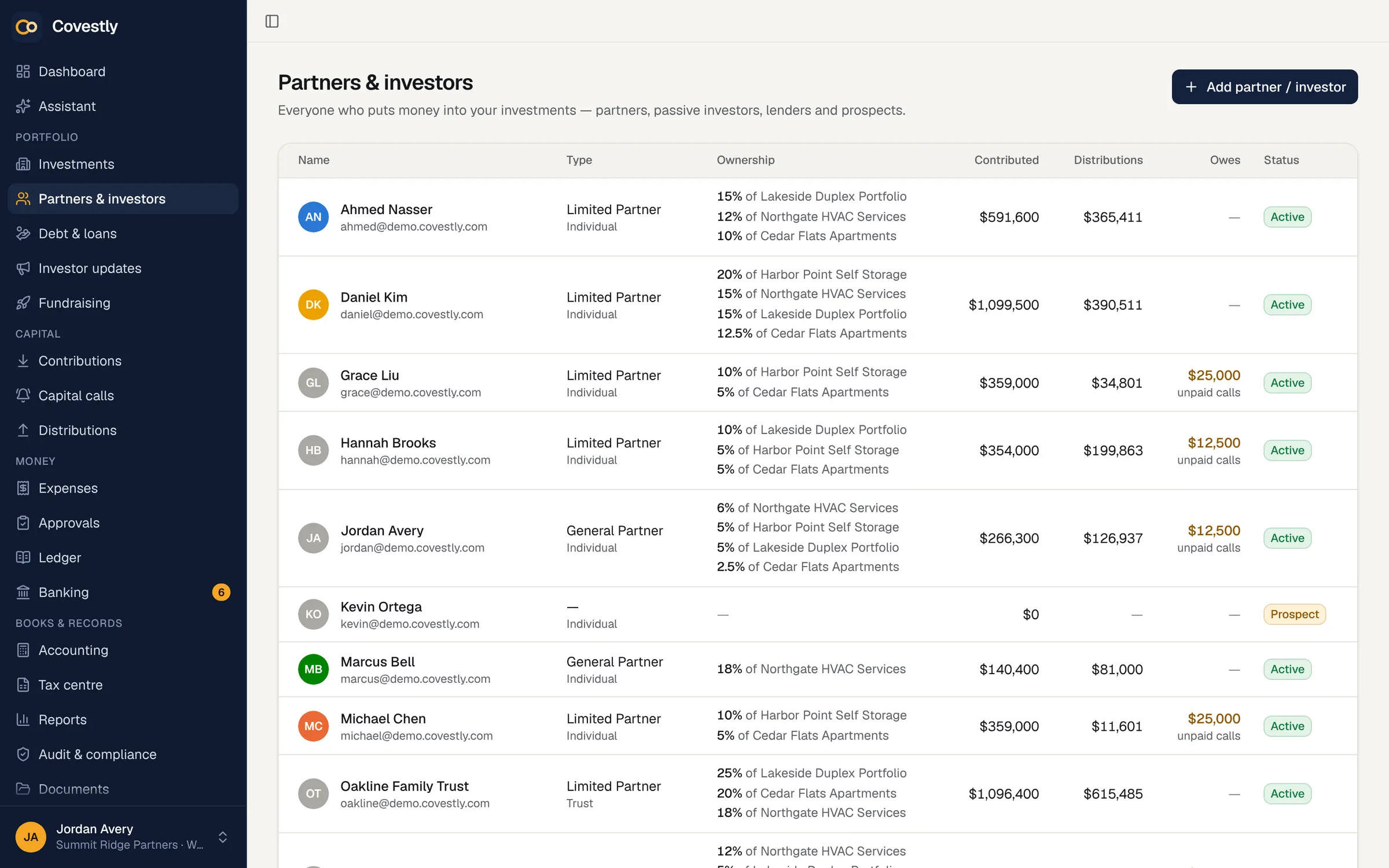
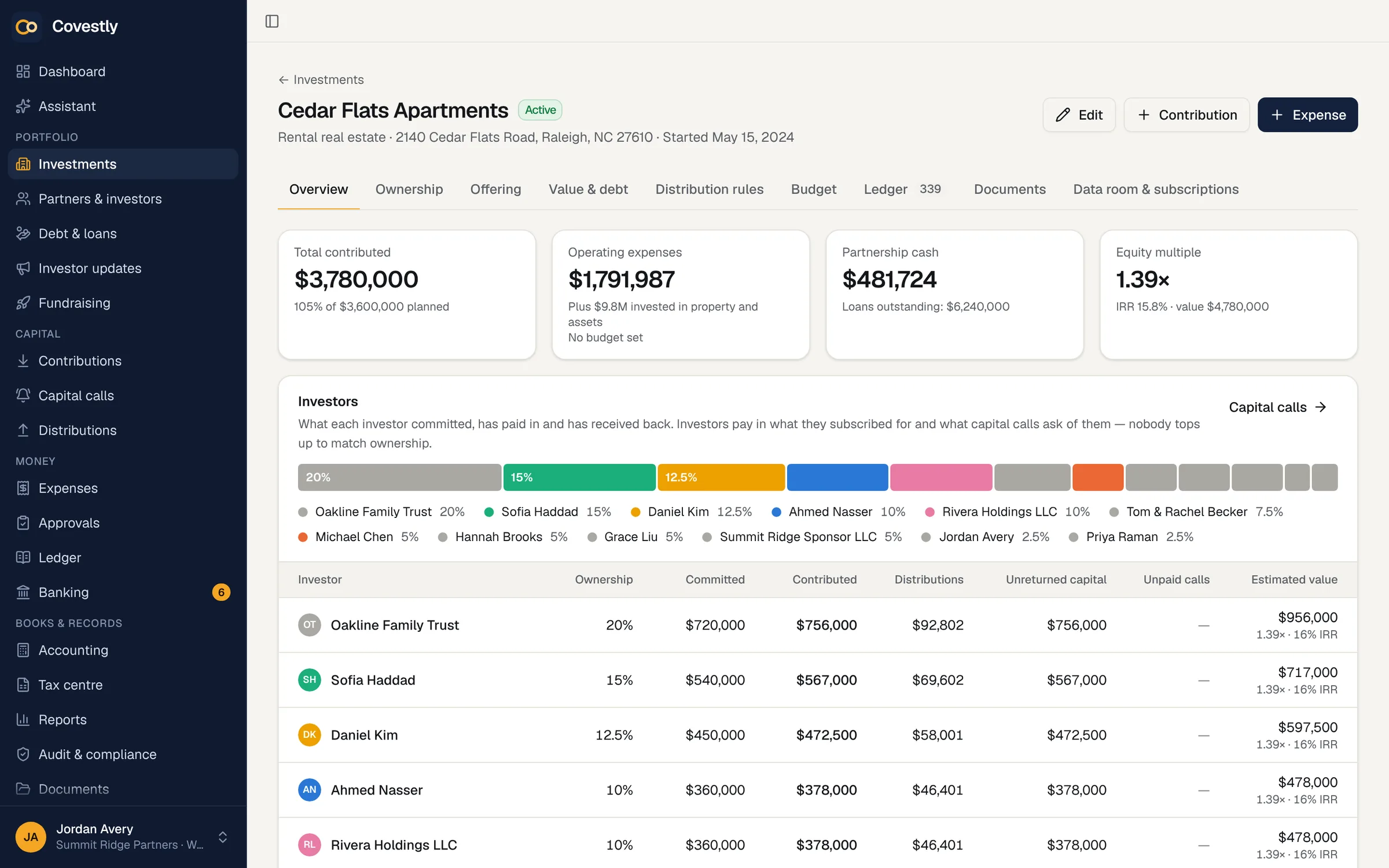
Ownership
Ownership that's right on every date
Every investor's percentage of every deal, with a full history. Record a transfer or a new investor and Covestly splits income, distributions and K-1s by the dates each person actually owned their share.
- Ownership percentages by investor and deal
- Transfers with an effective date
- Date-correct splits for distributions and K-1s
- A complete ownership history
Books
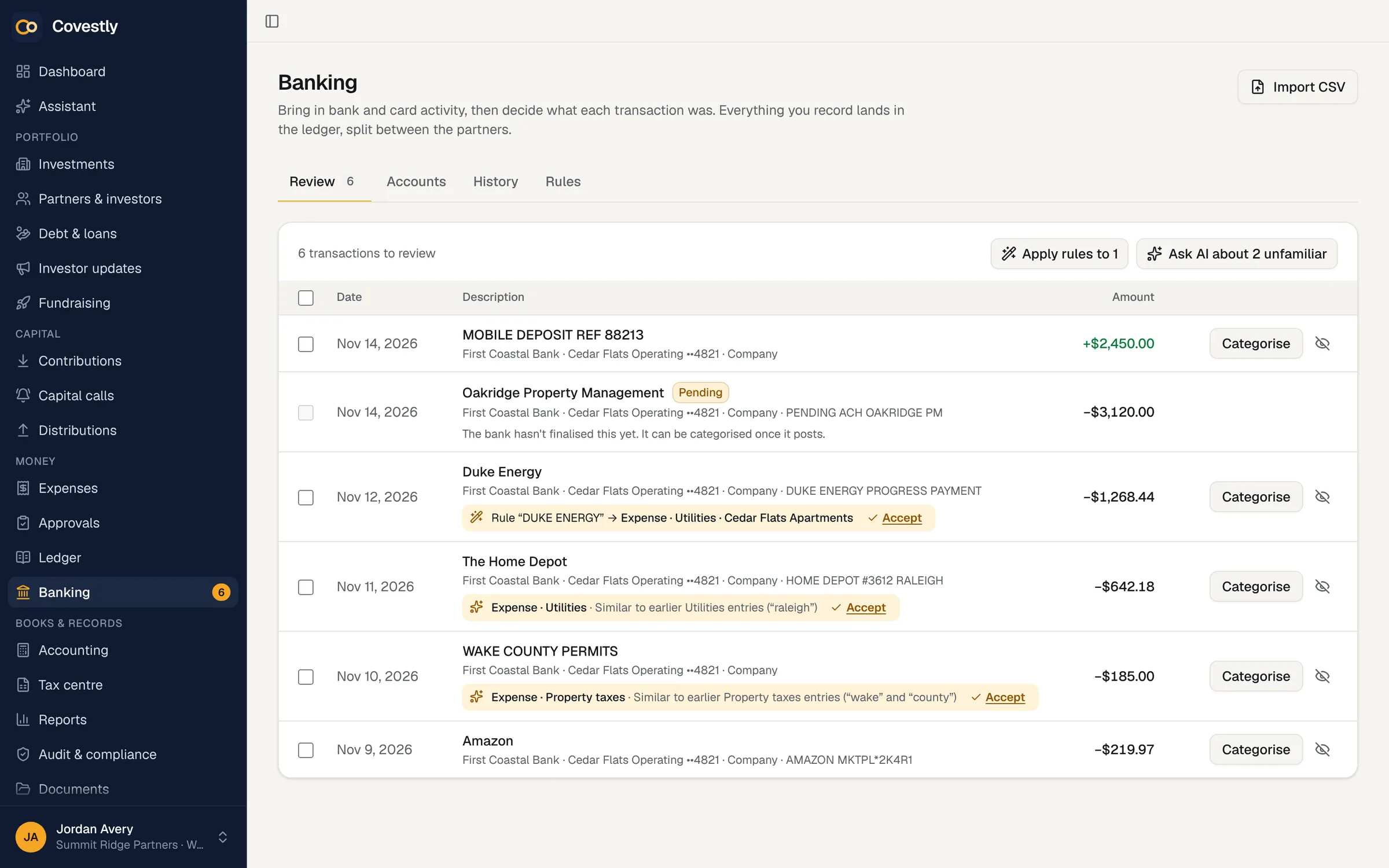
A ledger that keeps itself up to date
Connect the deal's bank accounts and transactions arrive daily, ready to categorise with rules you set. Expenses, contributions and distributions all post to one ledger per entity, with likely duplicates flagged before they cause trouble.
- Bank and card feeds through Plaid (read-only)
- Rules that categorise for you
- Possible duplicates flagged and merged
- Export the ledger to CSV whenever you like
Approvals
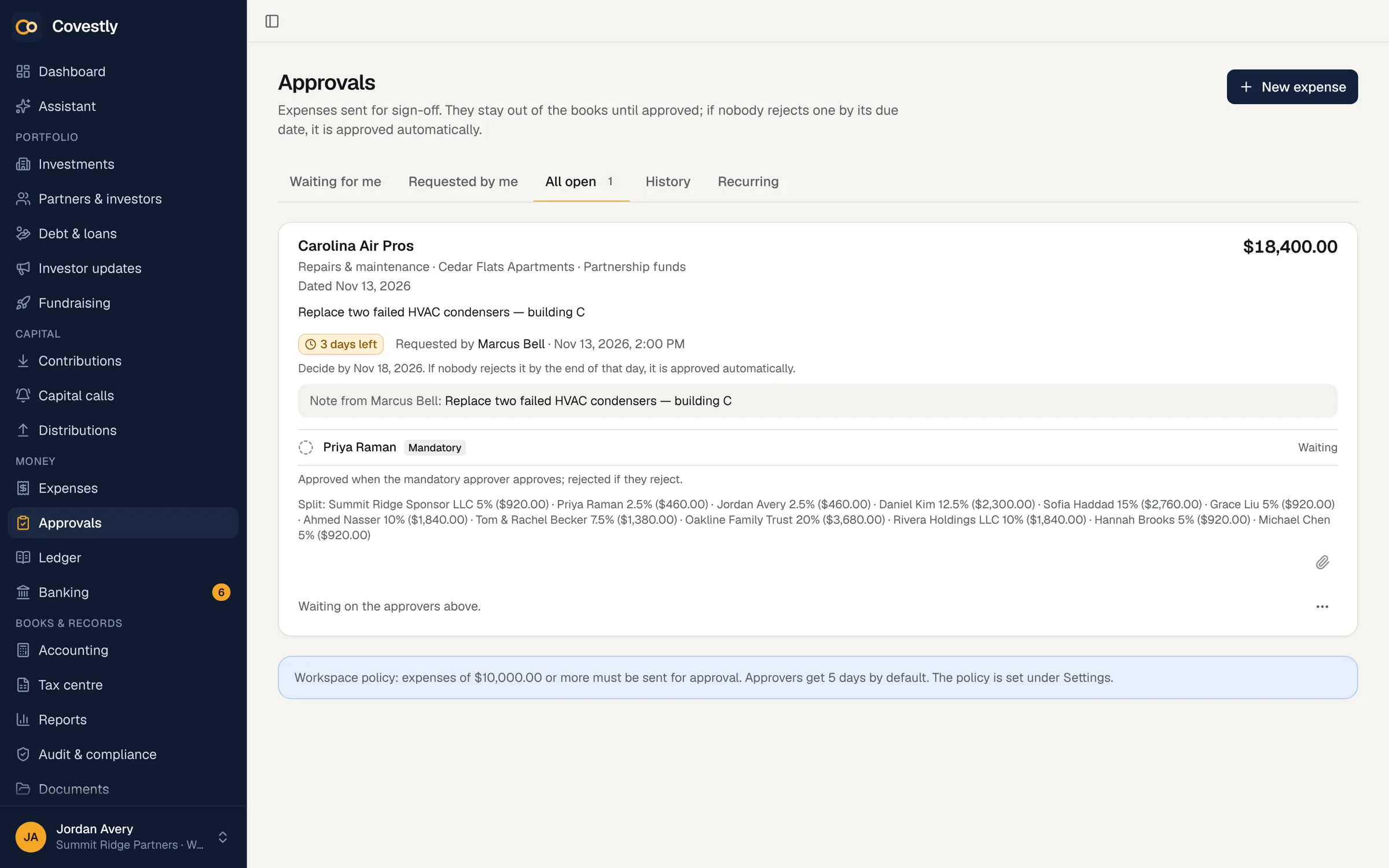
Expense approvals with a paper trail
Decide who approves what, by amount and by deal. Bills wait for the right people, nobody approves their own expense, and every decision is recorded. Recurring expenses post themselves on schedule.
- Approval rules by amount and investment
- Deadlines, reminders and overrides with a reason
- Invoices and receipts attached
- Recurring expenses on a schedule
Compliance
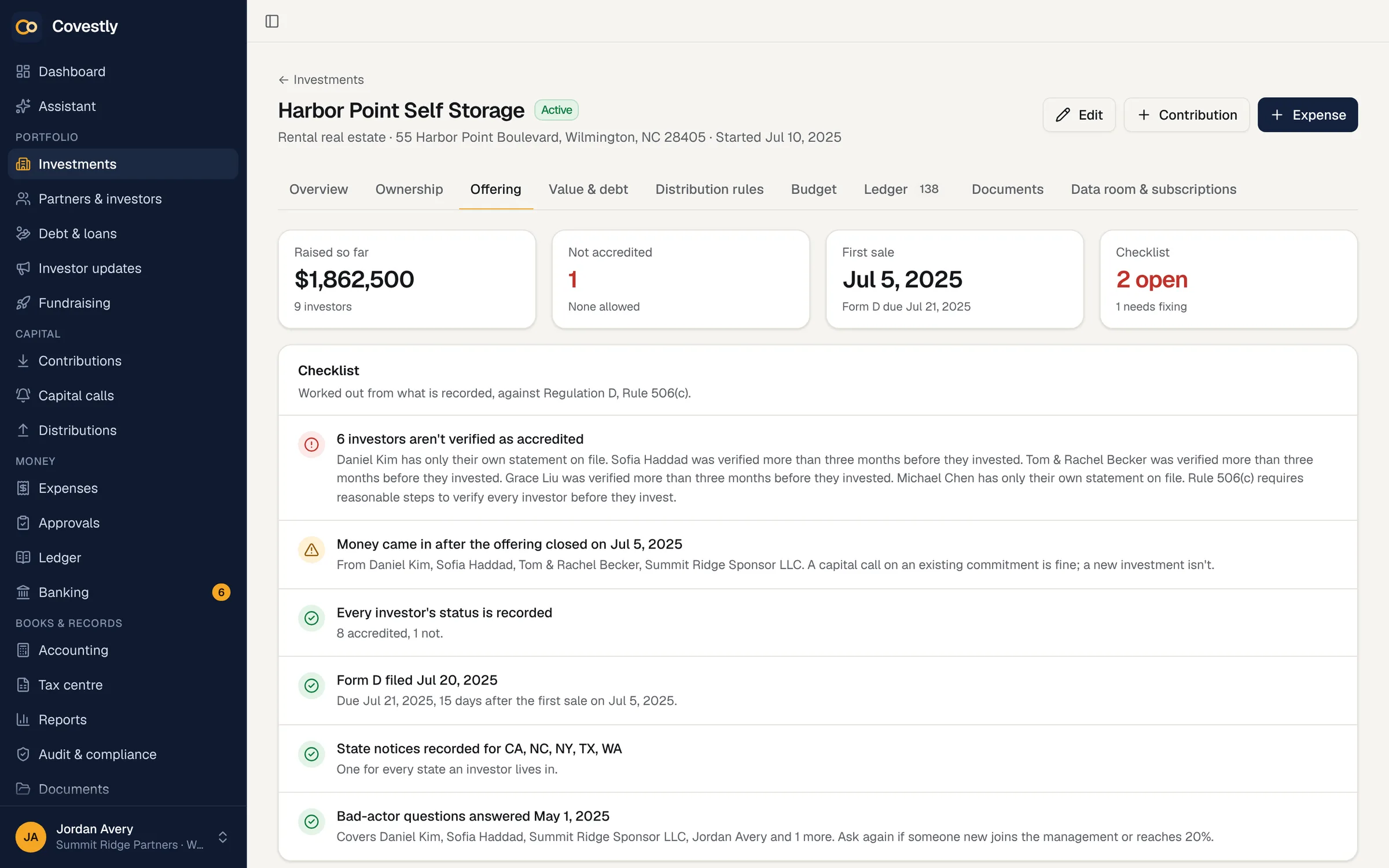
Deal structure and a Regulation D checklist
Record how each deal is structured and which exemption it relies on, 506(b) or 506(c). Covestly keeps a checklist of what the rule needs, from investor questionnaires and accreditation verification to Form D and state notice dates, and tells you what's missing.
- 506(b) and 506(c) requirements, item by item
- Investor questionnaires and accreditation, with how it was verified
- Non-accredited investor limits and disclosure
- Form D and state notice reminders
Reporting
Investor updates and statements in minutes
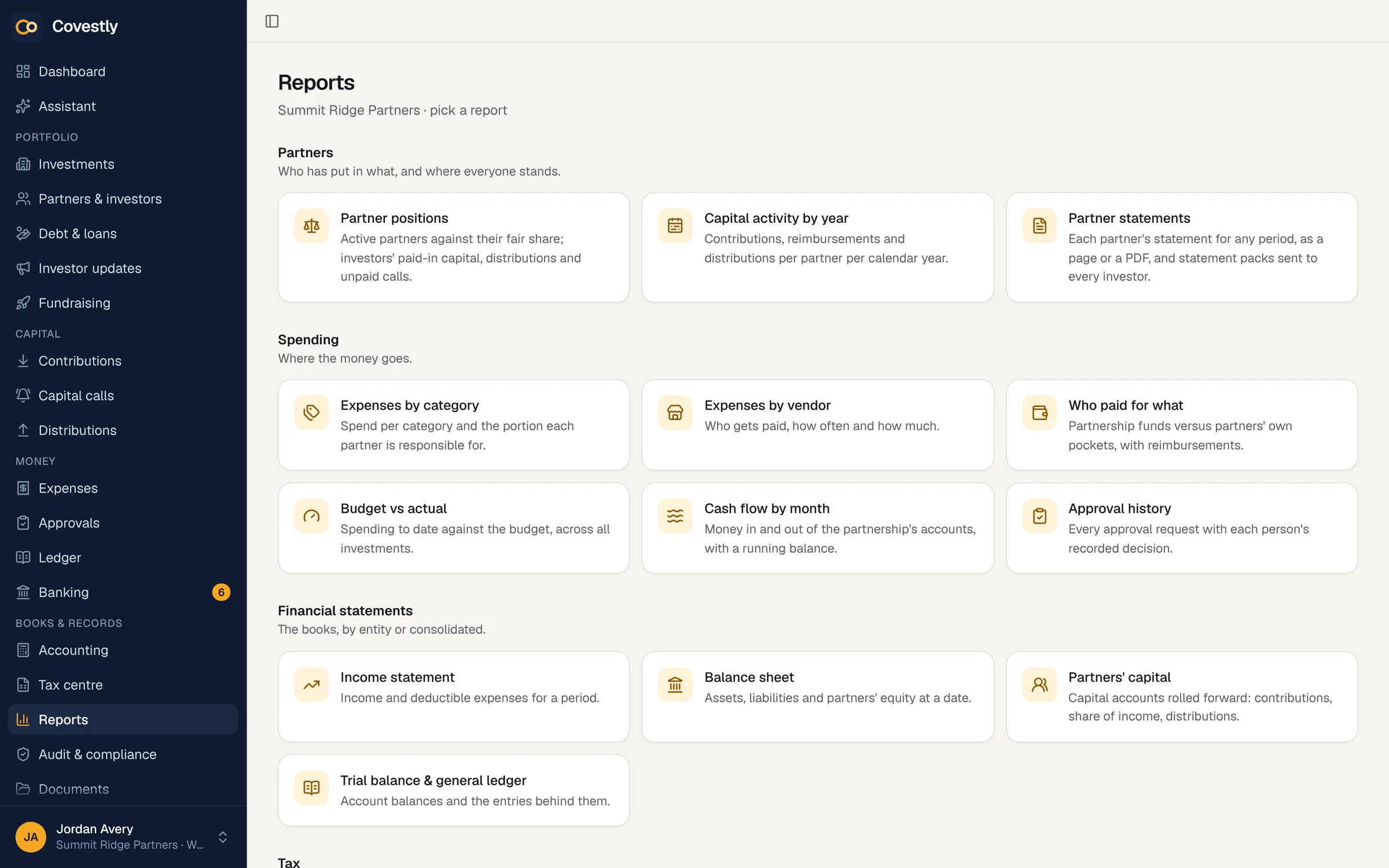
Write a quarterly update once and send it to the right investors by e-mail and in the portal. Statement packs build each investor's PDF from the books, so the numbers always match.
- Updates by deal or for everyone
- Investor statements as PDF packs
- Partner and financial reports
- E-mail notices for calls, distributions and K-1s
Documents
Every document where it belongs
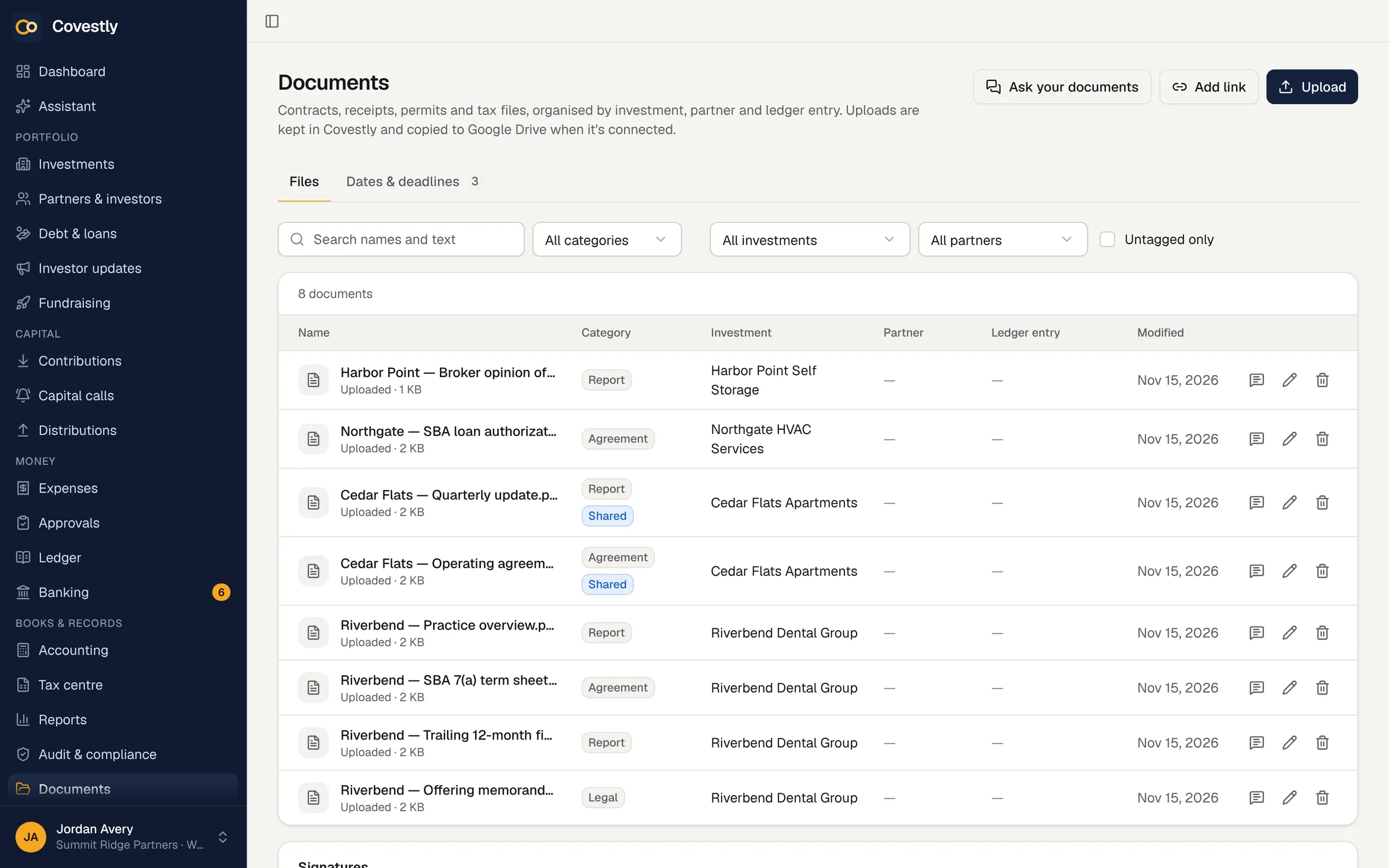
Operating agreements, loan documents, receipts and investor letters, filed by deal and by investor and shared with exactly the people who should see them. Keep a copy in Google Drive if you like.
- Filed by investment and investor
- Shared with investors when you choose
- Full-text search inside documents
- Optional copy to Google Drive
Your team
Your whole team, with the right access
Unlimited staff on every plan. Roles and groups decide who can see and change what, and sign-in is protected by two-step codes, passkeys or Google and Apple. Connect Claude, ChatGPT and other AI tools to Covestly with its MCP server — read-only, and it sees only what you can see.
- Unlimited staff, no per-seat fees
- Roles and groups with fine-grained permissions
- Two-step sign-in, passkeys, Google and Apple sign-in
- An activity log of every change
Add-ons
Need more? Add it to the plan
Accounting, tax documents, debt, asset management, fundraising, AI and white label, each with its own price.
Questions and answers
What is Covestly?
Covestly is software for sponsors who manage investments with partners and investors: real estate syndications, joint ventures and acquired businesses. It keeps each deal's books, ownership, capital calls and distributions, and gives investors a portal to see their position, documents and K-1s.
Who is Covestly for?
Syndicators and general partners, independent sponsors and searchers who buy businesses, family offices and small funds: anyone who raises money from investors deal by deal and owes them accurate numbers.
How do I set up an existing deal?
The setup wizard walks you through an investment, its investors, ownership and waterfall in a few minutes. With AI Copilot, Covestly can read the operating agreement and set it up for you to check.
Can Covestly read our rent rolls and T12s?
Yes, as files, with the Asset management add-on ($49 a month). Upload the rent roll and the trailing-12 income statement your property management software exports (AppFolio, Buildium, Yardi and others), as CSV or Excel, and Covestly shows the investment's occupancy, rents, lease expirations and NOI. There is no live connection to that software, and tenant names are never kept.
Can I import our investors from a spreadsheet?
Yes, on every plan. Import investors takes a CSV file or pasted cells, up to 2,000 rows: you check how its columns were matched, then see every row before anything is saved, whether it is new, already in Covestly, repeated in the file or has a problem, and why. Only the last four digits of a tax ID column are kept. The import creates the investor records; you give each one their ownership in the deal afterwards, and can invite them to the portal as you import.
Does it work on phones?
Yes. Both the app and the investor portal are designed for phones as well as desktops: approve an expense, check a balance or download a K-1 from anywhere.
Can I use Claude or ChatGPT with Covestly?
Yes, on every plan. Connect Claude, ChatGPT and other AI tools to Covestly with its MCP server — read-only, and it sees only what you can see. Add the server address in the AI tool, sign in to Covestly (two-step sign-in is required) and press Allow. It can't change anything, investors can't connect, and you can disconnect it at any time.
Can Covestly deliver our CPA's K-1s to investors?
Yes, on every plan. Upload the K-1 PDFs for an investment and tax year, or a .zip of them. Covestly matches each to its investor by the last four digits of the tax ID, the name and the file name, shows you why, and publishes each one to that investor's portal with an e-mail once you've checked them. A re-upload is a corrected K-1 that replaces the earlier one.
How to form a real estate syndicate?
In short: form an entity for the deal (usually an LLC), write an operating agreement with the waterfall, choose a Regulation D exemption such as 506(b) or 506(c), raise money from investors, file Form D, then run the deal and report to investors. Our guide to real estate syndication walks through each step.
Can I put my own logo and brand on the investor portal?
Yes, with the White label add-on ($29 a month, or free with Fundraising): your logo, name and one brand colour on the investor portal, e-mails to investors in your brand and your logo on their statements. There is no custom web address yet, so the portal stays at Covestly's address, app.covestly.com, and the sign-in page, which every workspace shares, keeps Covestly's name.
See your deals the way your investors will
Set up your first deal in minutes. Every add-on is included while you try it.
- 14-day free trial with every add-on
- Investors are always free
- Unlimited staff
- Cancel any time