Books
Real estate bookkeeping software that keeps itself current
Connect each deal’s bank and card accounts and transactions arrive in a review inbox with suggested categories. Expenses, contributions and distributions post to one ledger per investment, and every capital account follows.
- 14-day free trial with every add-on
- Investors are always free
- Unlimited staff
- Cancel any time
Without it
Catching up on the books every quarter
When bank activity is copied into a spreadsheet at the end of the month, receipts go missing, the same payment gets entered twice and nobody is sure the cash matches. Investors wait for numbers that should have been ready, and partners who paid costs from their own cards wait to be credited for them.
- Bank statements re-keyed by hand
- One payment recorded twice from two sources
- Receipts in someone’s inbox, not with the entry
- Partners paying costs personally and losing track
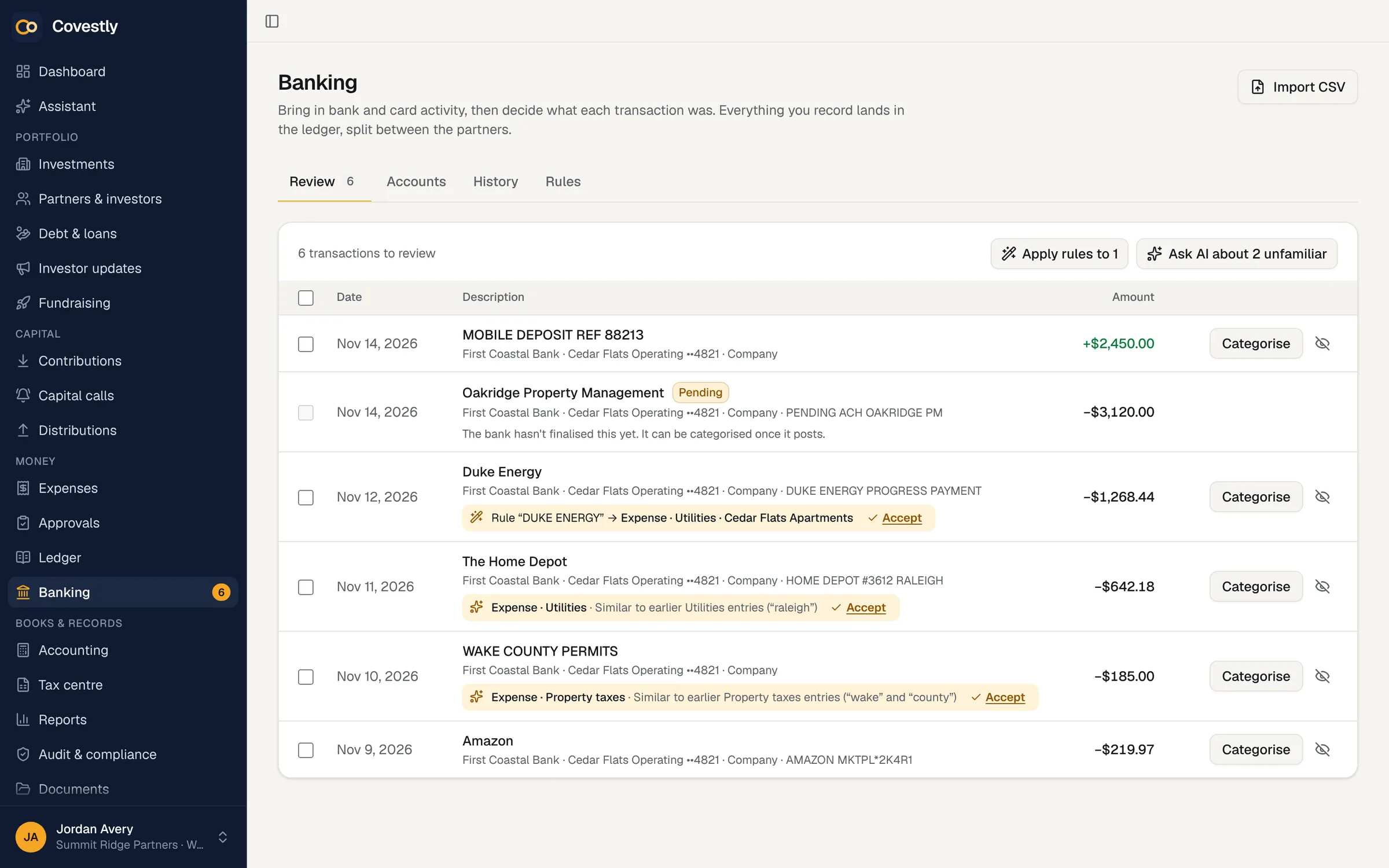
Bank and card feeds with a review inbox
Connect any number of accounts through Plaid with read-only access, or import a CSV bank statement into the same inbox. Nothing reaches the ledger until someone categorises it, suggestions learn from how you filed earlier entries, and rules you set file the rest. Wires from investors are matched to their capital calls and subscriptions, ready to record with one confirmation.
- Plaid feeds, any number of accounts
- CSV import when a bank isn’t connected
- Learned suggestions and your own rules
- Investor wires matched to calls and subscriptions
- Partners’ own cards credited as paid personally
Duplicates caught before they count
A payment typed in by hand and the same payment arriving later from the bank are recognised as one, so it isn’t recorded twice. Two ledger entries for one payment can be merged, with the bank transaction, receipts and documents moving to the entry that is kept.
- Hand entries matched to bank lines
- Likely duplicates flagged in every list
- Merge entries without losing receipts
- Mark two payments as different for good
Receipts, splits and recurring costs
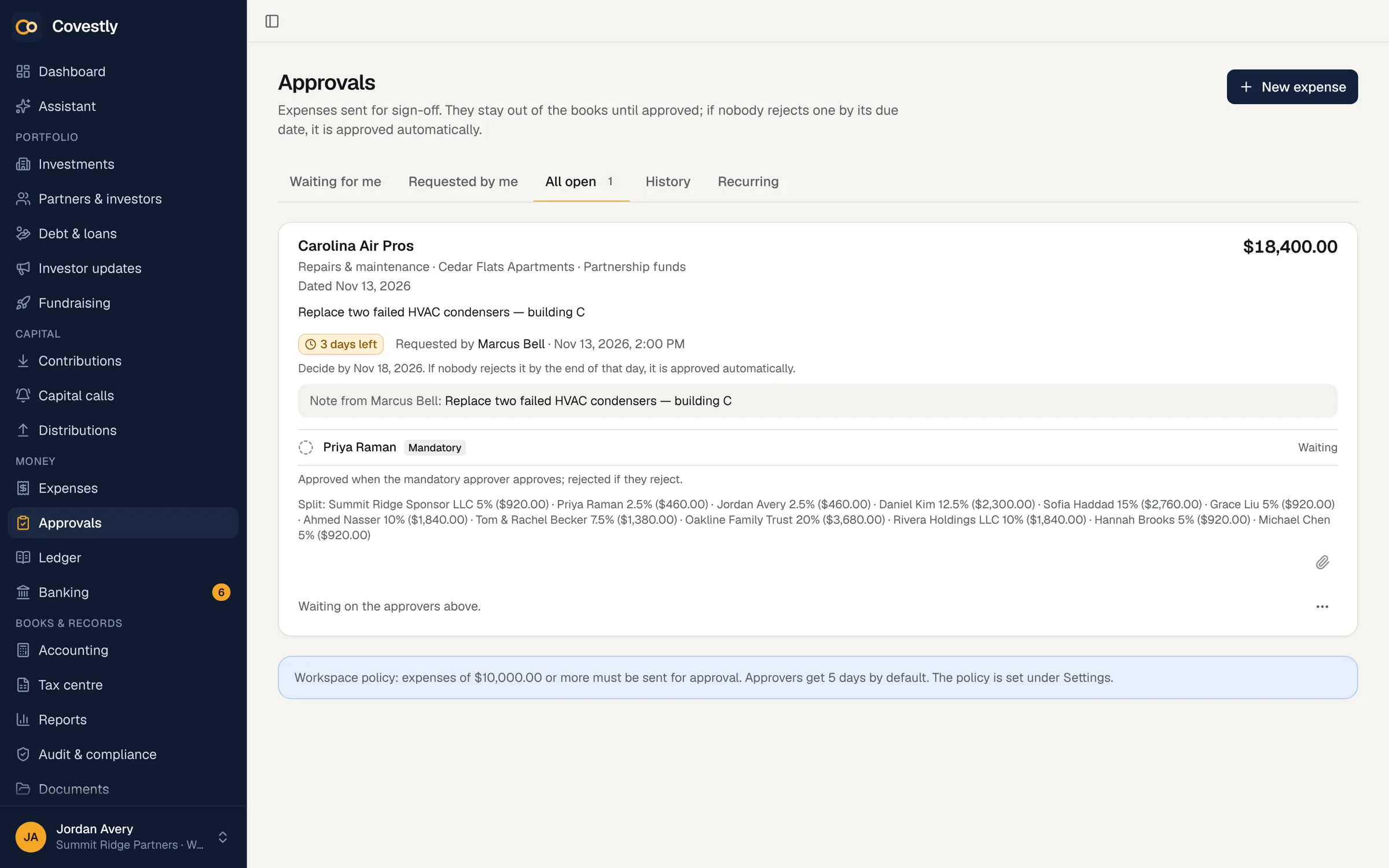
Attach the receipt while you enter the expense, split it by ownership or a custom split, and record refunds. Costs that repeat post themselves each period, and categories map to tax lines from the start. If you use approvals, an expense stays out of the books until it is approved.
- Receipts attached to the entry
- Splits by ownership or custom
- Recurring expenses on a schedule
- Tax-mapped categories
From ledger to full accounting when you need it
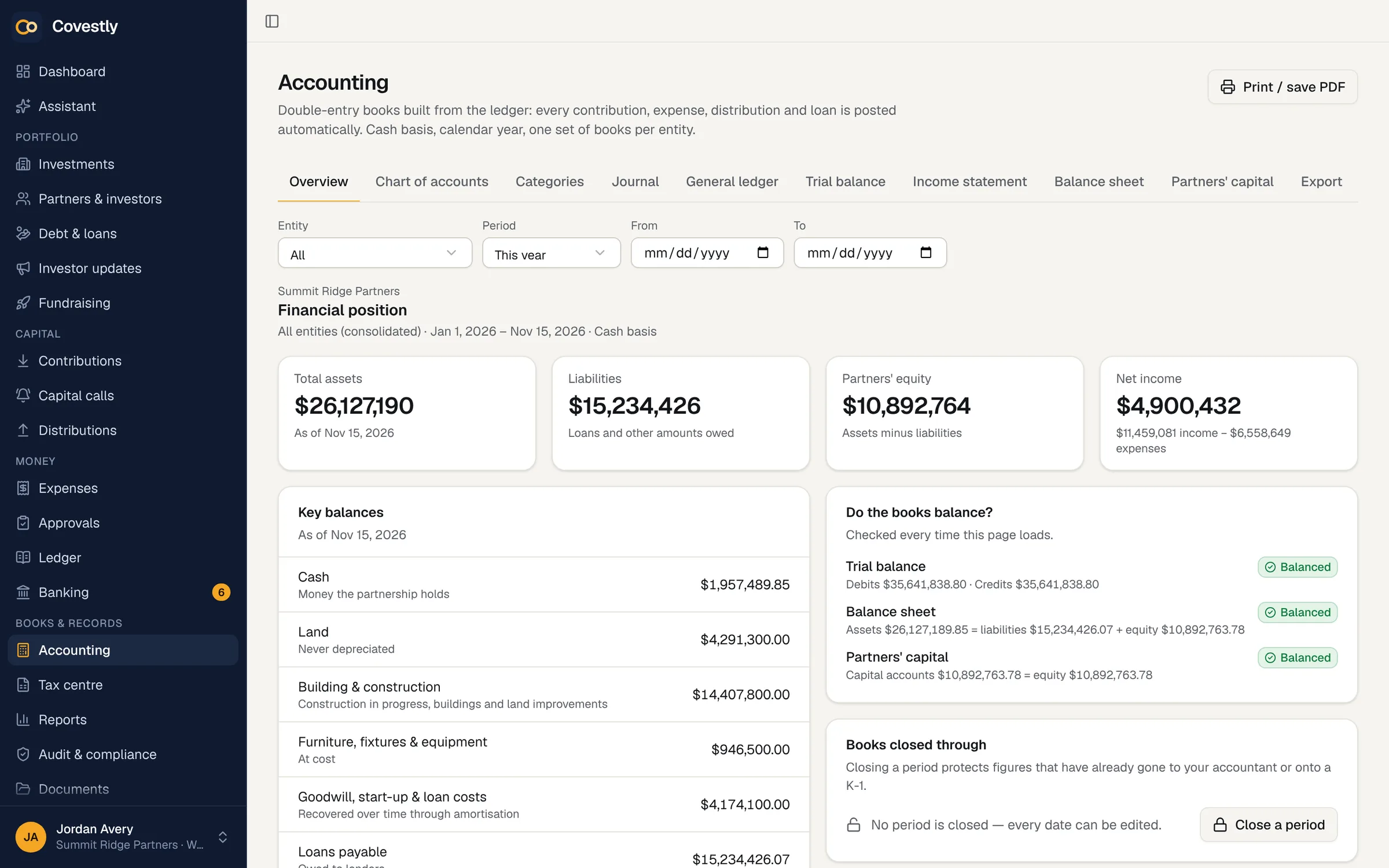
Every plan keeps the ledger, the capital accounts and a CSV export of the ledger, and partnership cash is worked out from it so you can compare it with the bank. The Accounting add-on adds the chart of accounts, journal entries, financial statements, closing the books and exports for QuickBooks Online and Xero.
- Ledger and capital accounts in every plan
- Partnership cash calculated from the ledger
- Ledger export to CSV
- Statements and closing with Accounting
How it works
Ledger & bank feeds, step by step
Connect your accounts
Link the deal’s bank and card accounts through Plaid, or import a CSV statement.
Review the inbox
Accept suggested categories one at a time or all at once.
Set rules
Rules file recurring vendors automatically, so the inbox stays short.
Check the cash
Partnership cash comes from the ledger, so a gap with the bank shows anything not recorded yet.
Hand off to your CPA
Export the ledger to CSV at any time, or journal entries for QuickBooks Online and Xero with Accounting.
Keep exploring
Works hand in hand with
Ledger & bank feeds: questions and answers
Can Covestly replace QuickBooks for our partnerships?
For the partnership’s own books it can: every plan keeps a ledger per investment, and the Accounting add-on adds the chart of accounts, statements and closing. If your CPA works in QuickBooks Online or Xero, Accounting exports journal entries in the files their import screens take.
Which banks can I connect?
Banks and card issuers that Plaid supports, with read-only access that can’t move money. Without a connection, import a CSV export of the bank statement into the same review inbox.
Are the books cash or accrual?
Covestly keeps cash-basis books on a calendar year, in one currency per workspace.
What if a partner pays an expense with their own card?
Connect the card with that partner as its owner, or record who paid when you enter the expense. Expenses a partner pays personally count as their contribution automatically, and reimbursements reduce it.
Can I undo a mistake on the bank feed?
Yes. Categorising can be undone, and deleting a ledger entry that came from the bank puts the bank line back in the review inbox.
See your deals the way your investors will
Set up your first deal in minutes. Every add-on is included while you try it.
- 14-day free trial with every add-on
- Investors are always free
- Unlimited staff
- Cancel any time