Documents
Investor document management with sharing you control
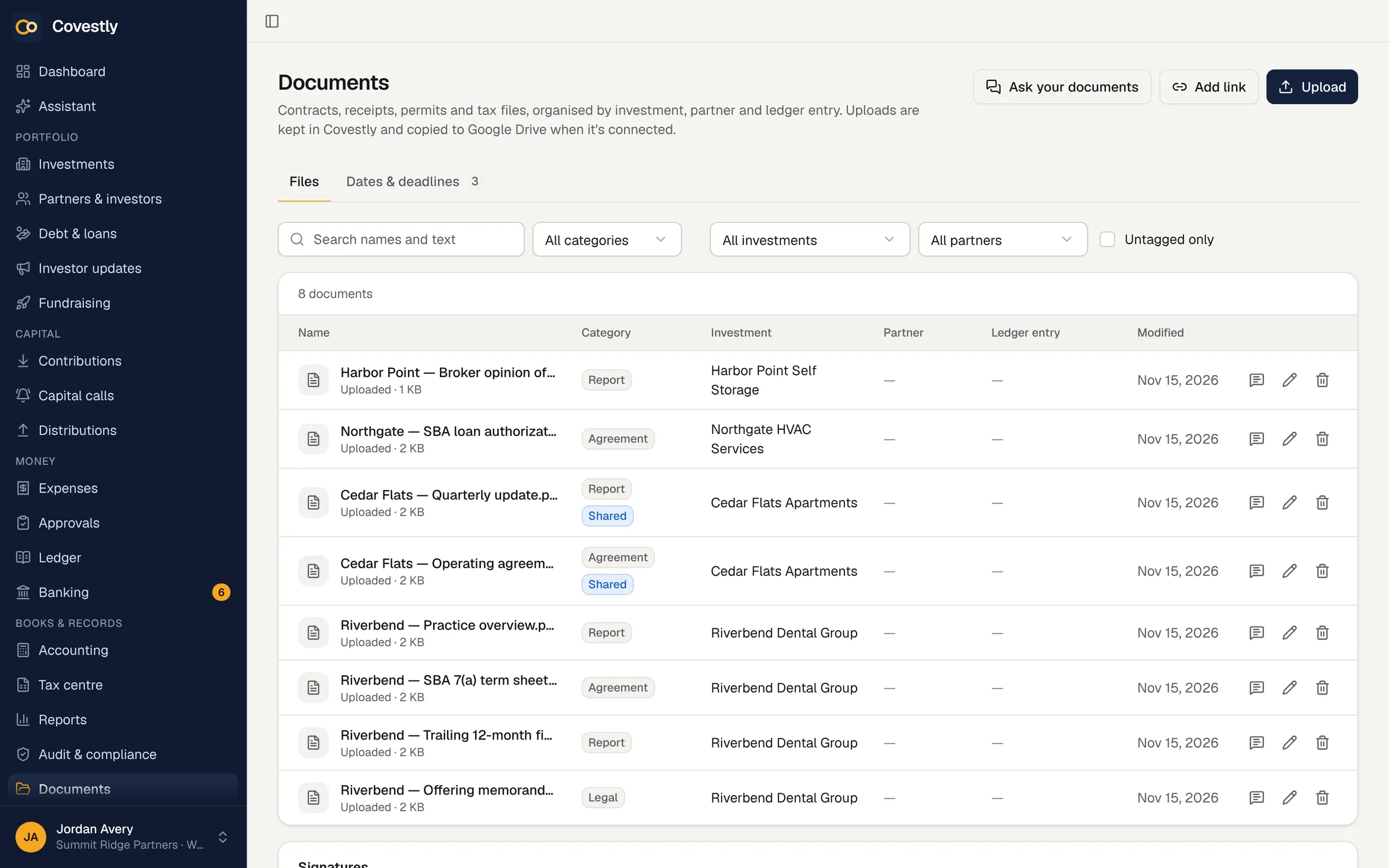
Covestly keeps its own copy of every document, filed by investment, investor and ledger entry. A file reaches the investor portal only when you share it, and its tags decide exactly who sees it.
- 14-day free trial with every add-on
- Investors are always free
- Unlimited staff
- Cancel any time
Without it
Shared folders share too much
A folder link sent to one investor can end up with anyone, and an operating agreement saved in the wrong place is seen by the wrong people. Meanwhile the receipt for last year’s roof repair is still in someone’s inbox.
- Folder links that travel further than intended
- Files filed by whoever happened to save them
- Receipts kept apart from the expenses they support
- No way to search inside old PDFs
Filed where it belongs
Tag each document with an investment, a partner or a ledger entry, and attach receipts while you enter an expense. Covestly stores every upload itself, and with Google Drive connected each one is also copied into the investment’s folder, sorted by kind. Uploads work from a phone too, with their progress shown and a button to cancel.
- Tags for investment, partner and ledger entry
- Receipts attached to their expenses
- Covestly’s own copy of every file
- An optional copy in Google Drive
Sharing you can explain
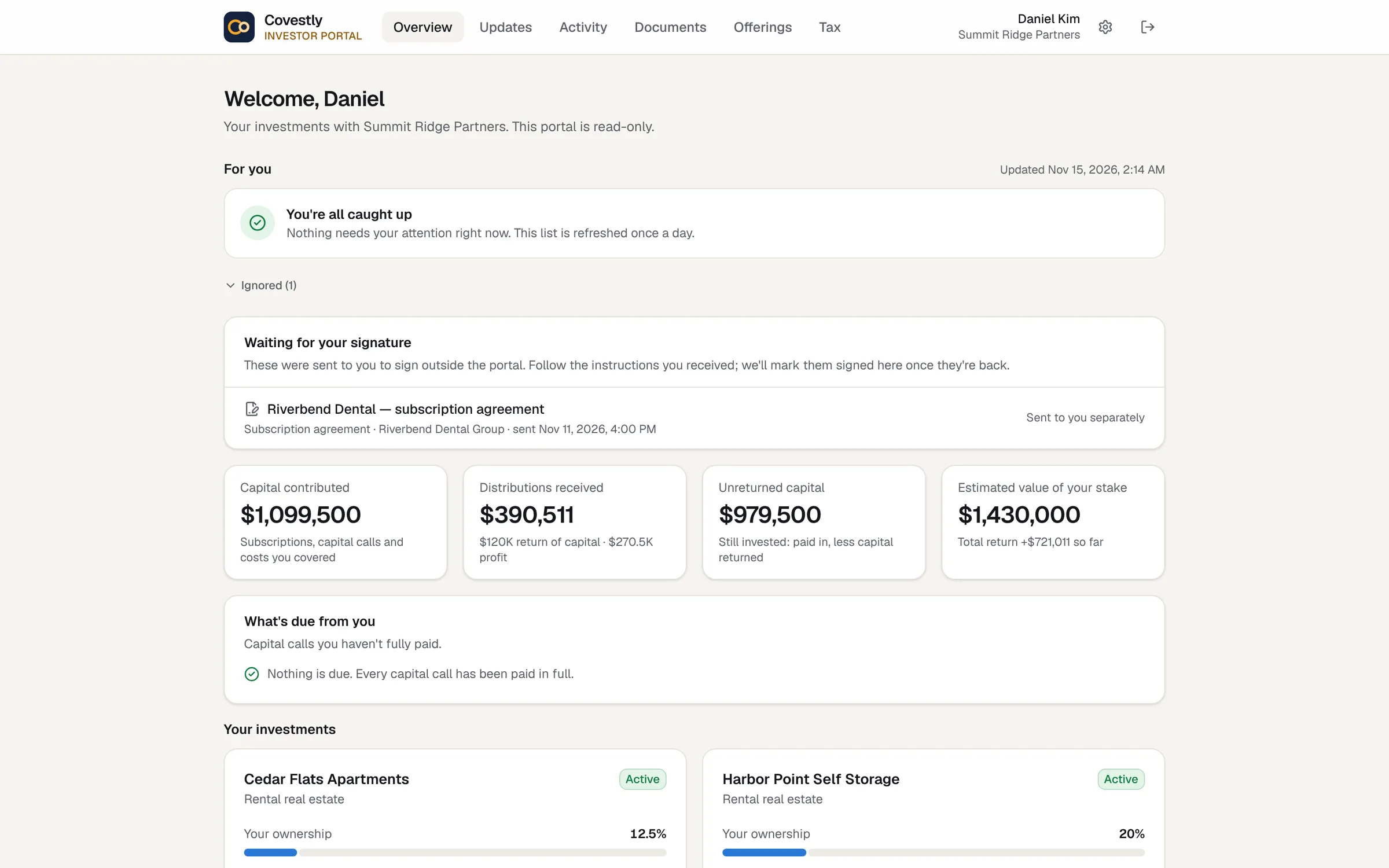
A document reaches the portal only when Share in the investor portal is ticked. The tags then decide who sees it: the tagged partner alone, the investors in the tagged investment, or everyone. Internal files stay with your team even when they are filed under a partner.
- Nothing shared until you tick the box
- Tags decide exactly who sees it
- Internal files stay internal
- Investors get an e-mail when a document is shared
Search inside every file
The search box matches file names and the words inside PDFs with a text layer, Google Docs, text and CSV files, and shows the page where each match is. It understands exact phrases, OR and minus, and the search index stays in Covestly’s own database.
- Matches inside documents, with the page
- Exact phrases, OR and minus
- No outside search service
- Opens the file at the matching page
Answers from your documents, with AI Copilot
With AI Copilot, ask a question of one document or all of them and get an answer that quotes the passages it relied on, each linked to its page. Scanned PDFs and photos can be read so they become searchable, and document watch picks out dates and deadlines to remind you about.
- Ask about this document
- Ask your documents, across the workspace
- Scanned PDFs made searchable
- Dates and deadlines picked out for you
How it works
Documents, step by step
Upload or connect Drive
Upload from any device, or connect Google Drive so every file is copied there too.
Tag it
File each document under its investment, partner or ledger entry.
Share when ready
Tick Share in the investor portal, or attach the document to an investor update.
Find it later
Search by name or by the words inside the file.
Keep exploring
Works hand in hand with
Documents: questions and answers
Do investors need access to our Google Drive?
No. When an investor opens a shared document, Covestly fetches it for them after checking they are allowed to see it. Drive is optional; Covestly keeps its own copy of every upload.
How do I share a document with just one investor?
Tag it with that partner and tick Share in the investor portal. A document filed under one partner is visible only to that partner in the portal, and they get an e-mail saying it has been shared.
Can I send a document with an investor update?
Yes. Attaching a document to an update opens it for that update’s recipients only, within the same tags, without sharing it more widely.
Can I upload our CPA’s K-1s so each investor gets theirs?
Yes, on every plan. Upload the K-1 PDFs for an investment and tax year, or a .zip of them. Covestly matches each to an investor by the last four digits of their tax ID, their name and the file name, and shows why; you check the matches and publish. Each investor finds their K-1 in the portal and gets an e-mail. Because K-1s show full taxpayer IDs, they are never searchable or read by AI, and only people who prepare tax documents and that investor can open them.
Which files open in the browser?
Only file types that can’t run script are shown in the browser; everything else downloads. Every download goes through Covestly’s own access checks.
Does search send my documents to an AI model?
No. Searching inside documents uses a full-text index in Covestly’s own database. Documents go to an AI model only for AI Copilot features, and only after an admin switches on Let AI read document text.
See your deals the way your investors will
Set up your first deal in minutes. Every add-on is included while you try it.
- 14-day free trial with every add-on
- Investors are always free
- Unlimited staff
- Cancel any time