Approvals
Expense approval software for property and partnership spending
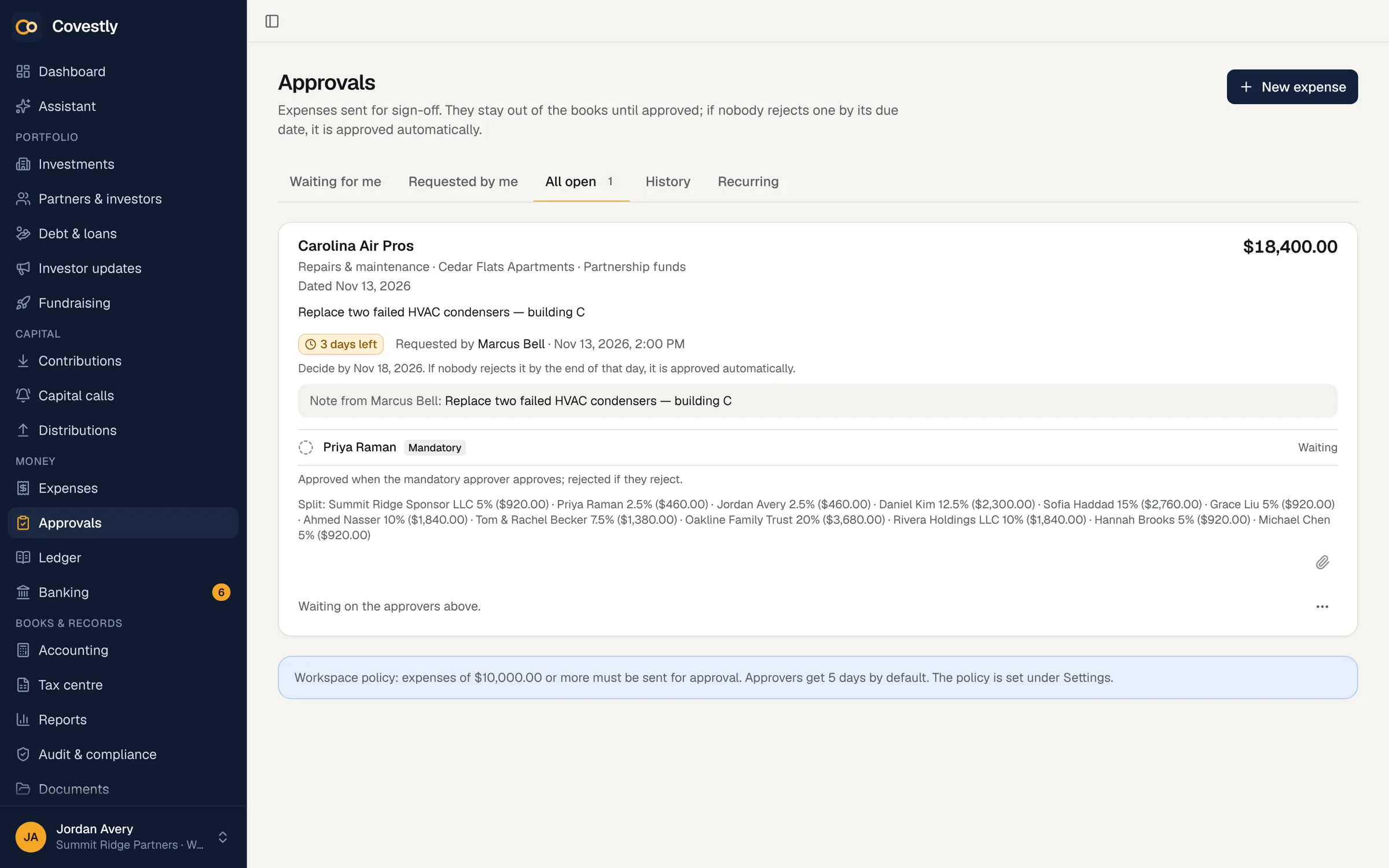
Send any expense to named approvers, each mandatory or optional, with a due date. Every decision is recorded with who, when and why, and nothing unapproved reaches the books.
- 14-day free trial with every add-on
- Investors are always free
- Unlimited staff
- Cancel any time
Without it
Approvals by text message leave no trail
When spending is agreed in a group chat or a forwarded e-mail, nobody can later show who approved what. Partners hear about large expenses after they’ve been paid, and the books already include costs nobody signed off. When an investor or an auditor asks, there is nothing to show them.
- Approvals scattered across texts and e-mails
- The person spending also approving
- Pending bills already counted in reports
- Nothing to show investors or an auditor
Approvers, rules and due dates
Add people or a group as approvers, mark each as mandatory or optional, and set a due date. A workspace policy can require approval above an amount, set how many days approvers get, and fill in the usual approvers for you. Approvers see the invoice or receipt attached to the expense, how it is split between partners and how many days are left.
- Mandatory and optional approvers
- Groups as reusable approver lists
- Approval required above an amount
- A due date on every request
Clear outcomes, recorded
An expense is approved once every mandatory approver agrees, and rejected as soon as a mandatory approver says no. If nobody rejects it by the due date, it is approved automatically and recorded that way. Every decision keeps who made it, when, and their comment.
- Approved when every mandatory approver agrees
- Approved automatically if not rejected in time
- Optional rejections recorded without blocking
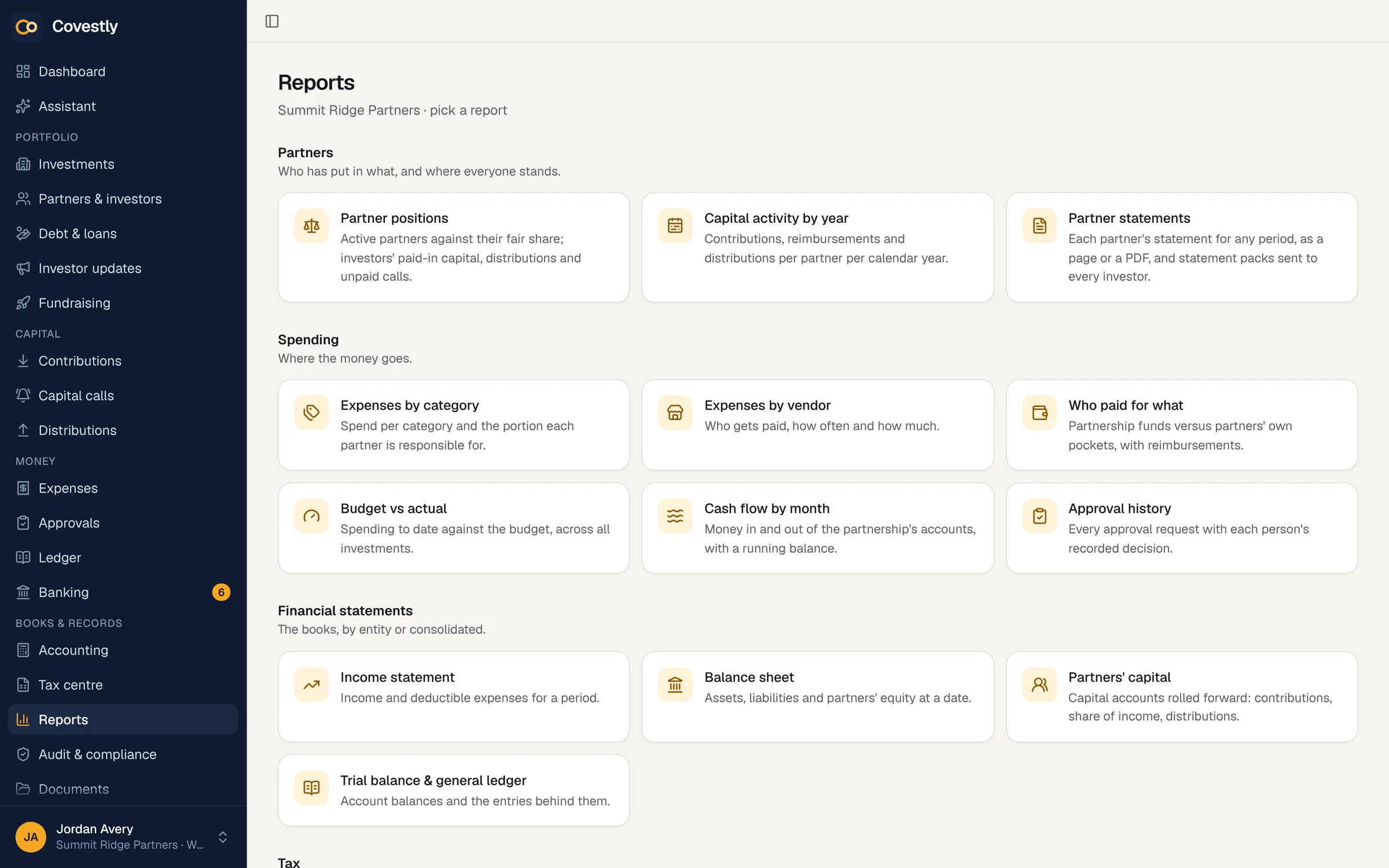
- An approval history report
Rules nobody can work around
Nobody approves their own expense: whoever enters or changes it can’t be one of its approvers. People with permission to override approvals can still decide, and the override shows on the record. An entry can’t be turned into an expense or matched from the bank feed to get around the policy.
- No self-approval
- Overrides shown on the record
- No back door through the bank feed
- Books can’t close over a pending expense
Reminders, phones and recurring costs
Approvers get an e-mail when they’re asked and a reminder the day before an expense would be approved automatically. On a phone, swipe a request to approve or reject it. Recurring expenses are approved once, then post themselves each period.
- E-mail requests and reminders
- Approve or reject with a swipe
- Recurring expenses approved once
- The requester told of the decision
How it works
Approvals & recurring expenses, step by step
Send for approval
Switch on Send for approval when entering an expense and choose the approvers.
Approvers decide
Each gets an e-mail and approves or rejects in the app, with a comment.
The outcome is applied
The expense is approved, rejected, or approved automatically at the due date.
It joins the books
Only approved expenses count in balances, reports and tax figures.
Report on it
The approval history report shows every request and decision for any period.
Keep exploring
Works hand in hand with
Approvals & recurring expenses: questions and answers
What happens if an approver doesn’t respond?
If nobody rejects the expense by its due date, it is approved automatically and recorded as such. Approvers get a reminder the day before, and a day only counts as over once it has ended in every time zone.
Can someone approve their own expense?
No. The person who enters or later changes an expense can’t be one of its approvers. People with permission to override approvals are the exception, and an override shows on the record.
Are pending expenses included in reports?
No. Until it is approved, an expense is visible but excluded from every balance, report and tax figure, and the books can’t be closed over an expense that is still waiting.
Do recurring expenses need approval every time?
No. A recurring expense is approved once, when it is set up, then posts automatically each period without a new request.
Can I require approval only for larger expenses?
Yes. A workspace policy can require approval above an amount you choose, set how many days approvers get, and prefill the usual approvers for every request.
See your deals the way your investors will
Set up your first deal in minutes. Every add-on is included while you try it.
- 14-day free trial with every add-on
- Investors are always free
- Unlimited staff
- Cancel any time